You have seen them. A purple glow in the background. A smiling worker who does not work for anyone. A line at the top that says Elevate your business.
You can tell in one second. So can your customers. And the sad part is that the person who made it was trying to save money, and instead they printed 500 copies of a sign that says I did not have time for this.
I want to explain why that happens, because once you see it, you can fix it.
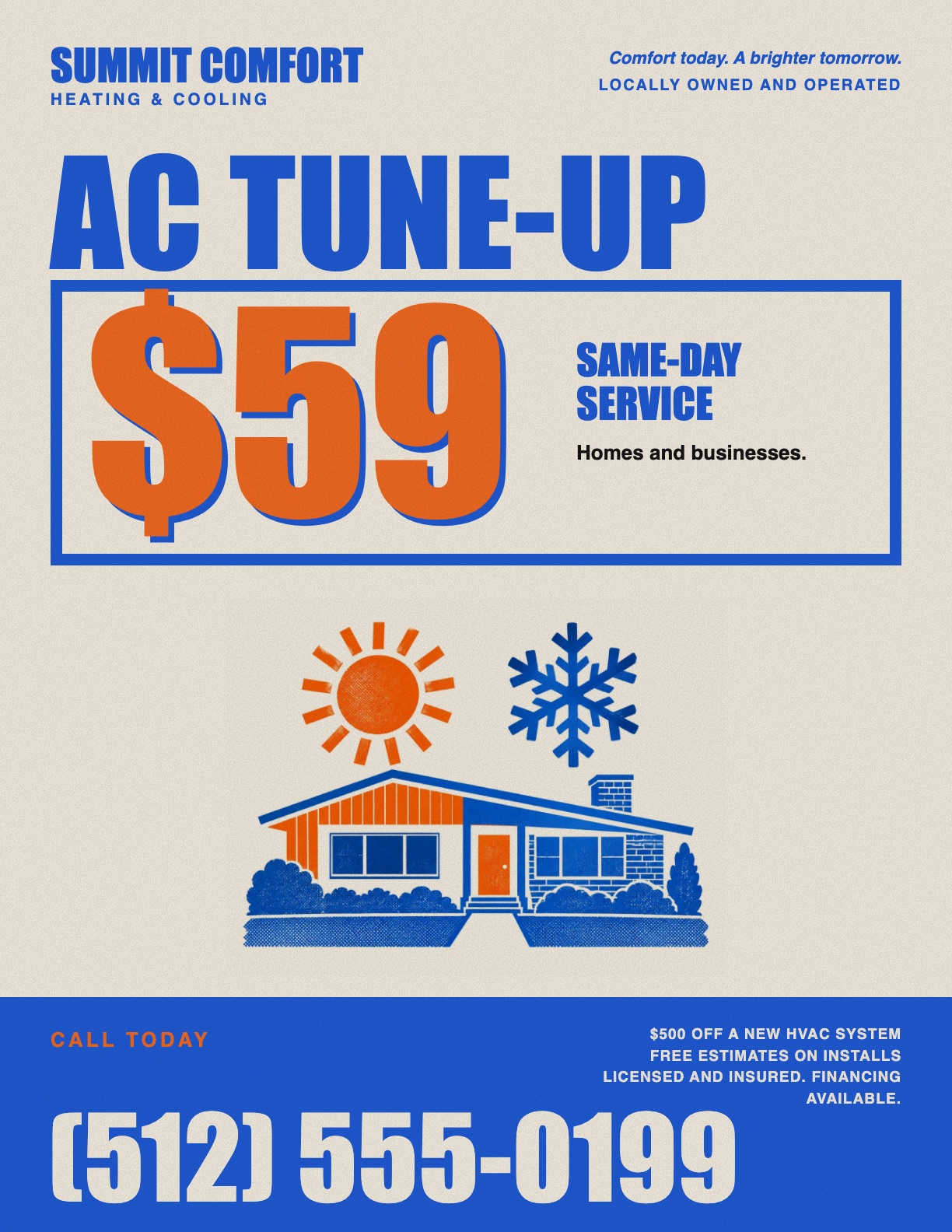
Here is what I mean. The one on the left is what AI makes when all you say is "make me a flyer." Then I took the facts off that flyer, the same company, the same prices, the same phone number, and ran them through the skill on this page. That is the one on the right. Look at them for a second before you read on.

The one on the left is not a joke. Count what is on it. A technician who does not work there. A family that does not live anywhere. A gold badge nobody gave them. Ten checkmarks. Three coupons. Five stars from reviews nobody wrote. Three slogans in cursive. It has so much on it that you cannot find the one thing they want you to do.
The one on the right has the same offers and the same phone number. It still has a picture, and it still has color. It just does not have a fake family. What was taken away is the stuff that was not true. What is left you can read from across the street.
The computer fills every blank with a guess
Here is the whole problem in one sentence. When you do not give the computer something, it makes one up.
You did not give it a photo, so it made a photo. You did not tell it your colors, so it picked purple, because purple is what it picks. You did not tell it what the flyer should look like, so it picked the look that every other flyer has. You did not give it your words, so it wrote Elevate your business.
None of those were choices. They were blanks. The computer is not bad at flyers. It was never told enough to make yours.
That also tells you the fix. Fill the blanks before it can.
What I do instead
I built a skill for this. A skill is a small file that tells Claude how to do one job the same way every time. This one makes flyers. It is free, and it is at the top of this page.
The first thing it does is ask questions. Seven of them. It will not build anything until you answer.
- What is this flyer for? One thing.
- Where will people see it? A window, a door, a mailbox, Facebook.
- What do you want someone to do after they read it? Call, text, come by, buy a ticket. One thing.
- What has to be on it? Your real phone number. The real date. The real price.
- What do you have? Your logo. A real photo. A picture of your truck, so it can match your colors.
- What should it look like?
- Anything else?
The one that matters most is the sixth one. What should it look like. Because "make me a flyer" has no answer, and the computer will pick the same answer it picks for everyone.
So the skill gives you a list of real looks to pick from. A hardware store ad from the Sunday paper, packed with prices. A concert poster, two ink colors and big type. A riso print, pink and blue with little dots. An old shop sign, cream paper and a badge. Black marker on neon paper, the kind you can read from your truck.
Or you can just take a picture of a flyer you like. One on a pole. One in a shop window. One on Pinterest. The skill looks at it and borrows the moves. Not the words, not the layout. The feel.
The photo rule
The skill will never make a photo. Not one.
If you send a real photo of your work, your crew, or your truck, it uses it. If you do not, it makes a picture the way a print shop would: a flat drawing in your two colors. A house with a sun and a snowflake. A wrench. A taco. No people. Look at the flyer on the right up top. That is what it does with no photo.
What it will not do is invent a plumber. A fake plumber is the fastest way to tell a customer you are not real.
If you want a photo and do not have one, walk outside with your phone in daylight and take one of your truck. That is enough.
I did not like the first version
I want to be honest about this. The first version of this skill was bad in a different way.
I was so worried about it looking fake that I made it plain. Black words on a white page. It was not fake. It was boring. A boring flyer is a flyer nobody reads, which costs you the same as a fake one.
The fix was the sixth question. Once the skill had to start from a real look, the flyers stopped being boring. That is why I say that question matters most.
What it did on mine
I tested it on a flyer for a talk I am giving at a Chamber of Commerce lunch.
It asked me where people buy the ticket. I had not said. It would not build until I did.
I told it I wanted something clean and modern with a little color. It picked a look and told me why. My photo on top, in black and white. One blue strip across it with the name of the talk. The facts underneath.
Then it checked its own work against a list of things that make flyers look fake. It found one. It had put a line of white text on top of my photo. It moved the line down onto the paper and told me it had done that, and why.
It also told me the date I gave it was a Saturday. It did not print the day of the week, because I had not given it one. It just asked me to check. That is the behavior I want from anything I let near my customers.
What it does not fix
Be honest with yourself about where this stops.
It will not make your offer good. If the deal on the flyer is not worth stopping for, a beautiful flyer will not change that. Decide the offer first.
It will not print for you. You get a file. You open it, hit print, and take it to the print shop or run it at home. The skill tells you which buttons to press, including the one everybody misses that turns the color back on.
It cannot fix a bad photo. A blurry picture is a blurry picture. It will tell you it is blurry and offer to leave it out.
How to try it
- Download the skill at the top of this page. Add it to Claude. The steps are on the skills page.
- Say what you want. "Make me a flyer for my fall cleanup special."
- Answer the questions. Take your time on the sixth one.
- Send a real photo if you have one. Send your logo. Send a picture of your truck.
- Look at what comes back. Tell it what to change, in plain words.
It saves your business details when you are done, so the second flyer only asks about the flyer.
If you make one, I would like to see it. My email is on the contact page.
Want the skill from this post?
Download the skill